Forum Discussion

FICO
3 years agoCommunity Manager
How to perform pre-check before calling custom run mode
I have a custom run mode that adds a value user entered into a list. However, I would like to check if this value already exists in the current list before calling the custom run mode. I don't think it is possible to perform the check in VDL so am working on a JavaScript function to perform the check. However, I'm not sure on how to access entity values in the JS function. I've used scenario observer to access and modify entity values before but in this case, I need to get to the value right away instead of putting the checking logic into a callback function, I think.
My vdl code looks like below and the JS function is check_tab_name.
<vdl-action-group name="executeAddNewTab">
<vdl-action command="check_tab_name"></vdl-action>
<vdl-action-execute mode="ADD_NEW_TAB_NAME" vdl-if="=vars.newValueIndeed"></vdl-action-execute>
</vdl-action-group>
Appreciate any help on this issue.
1 Reply
- FICOCommunity Manager
OK, I found the answer in your VDL Language app and adapted the following code. Thank you. :-)
function checkDuplicateSetEntry(setName, value, viewModel) {
var entryExists = viewModel.scenario.entities[setName]()
.map(function (entry) {
return entry.value;
}).indexOf(value) !== -1;
if (entryExists) {
// This will stop the VDL action chain,
// so the value will not be saved to the server
throw Error('Value "' + value + '" already exists in set "'
+ setName + '".');
}
// Return value to pass onto the next VDL action
return value;
}

Related Content
Related Content

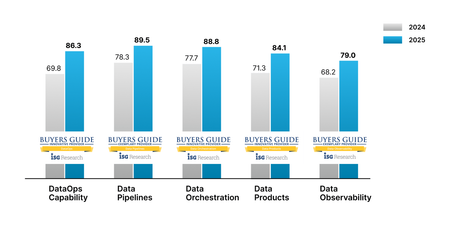
DataOps.live’s 2025 ISG DataOps Buyer’s Guides Performance Signals the Future of DataOps Automation
4 MIN READ AI’s mainstreaming has shifted something fundamental in the world of data. Data professionals have been pushing the importance of data quality for years, but now organizations are seeing very clearly...12Views0likes0CommentsObservability & decision science: Monitoring optimization model performance and more
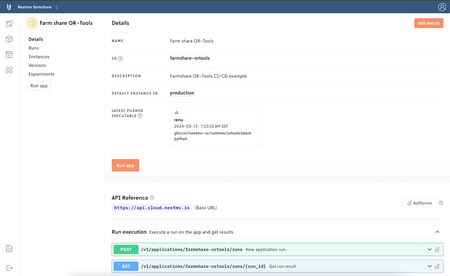
5 MIN READ When decision models power real-life operations, any sort of model performance failure is a nightmare. Learn why observability in the operations research space is often a challenge – and how to give ...14Views0likes0Comments- 4 years agoPlace FICO® Xpress Optimization ForumFICO® Xpress Optimization Forum2 unread comments2 unread1View0likes2Comments